
Add labels and Group Components
Add Labels
To make it easier to filter and manage your resources during visualization, add labels to all of them.
You can also choose to use the existing label, app:wordpress, but a new one, dev:tutorial, is recommended for this tutorial to prevent your resources from getting mixed up with others in the public playground cluster.
- Click on the label icon.
- Click the + sign next to Labels.
- Add the label
dev:tutorial. - Do this for all the resources on the canvas.

Figure: Add label
- Now click on
Save Asand save the design.
Group Components
The Group Components icon on the dock below allows you to group resources based on shared labels or annotations.
This functionality aids in visualizing the relationships between various resources, making it easier to manage them, troubleshoot issues, and understand the overall cluster architecture.
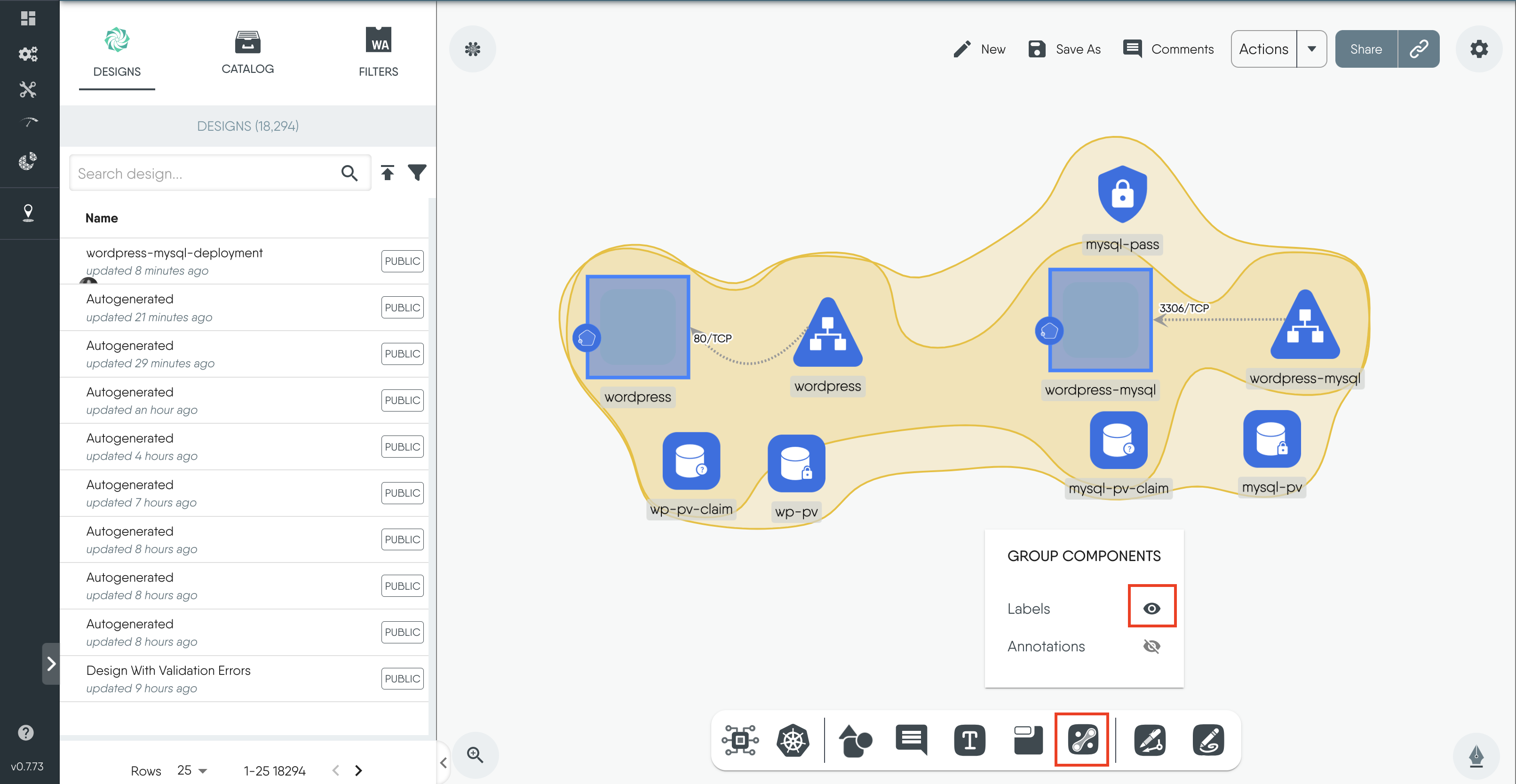
Figure: Group Components


Layer5 is the steward of Meshery and creator of Kanvas, the collaborative canvas for cloud-native infrastructure. We bridge the gap between design and operation, allowing engineers to create, configure, and deploy orchestratable diagrams in real time. Whether managing Kubernetes or multi-cloud environments, Layer5 provides the tooling needed to oversee modern infrastructure with confidence.