Validate and Deploy Resources
Deploy the Resources
- Click
Actionsin the top right corner and click onDeploy.
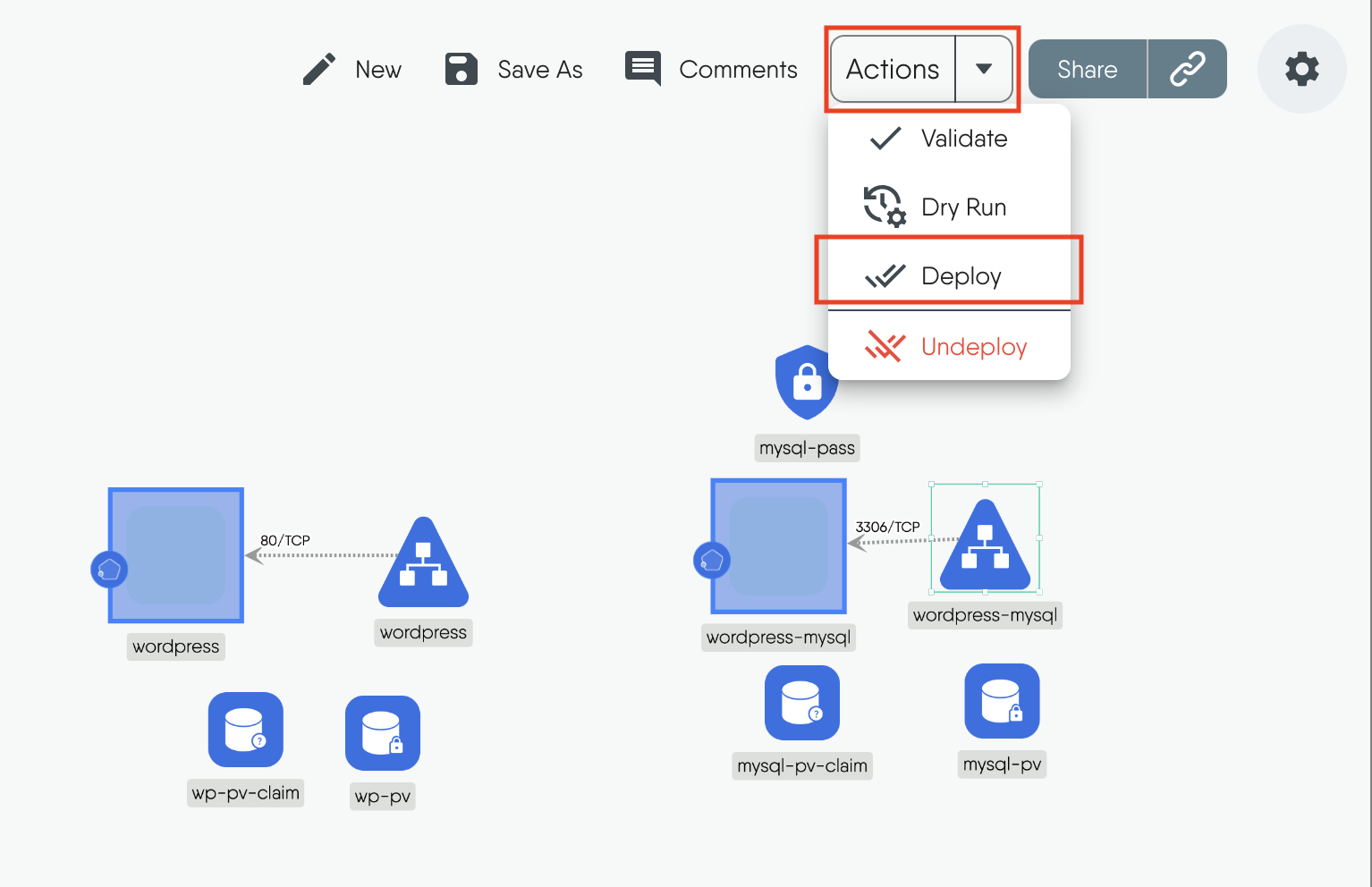
Figure: Actions dropdown menu
- The design will be validated to make sure there are no errors.
Figure: Validate design
- Choose the Kubernetes cluster you want to deploy to.
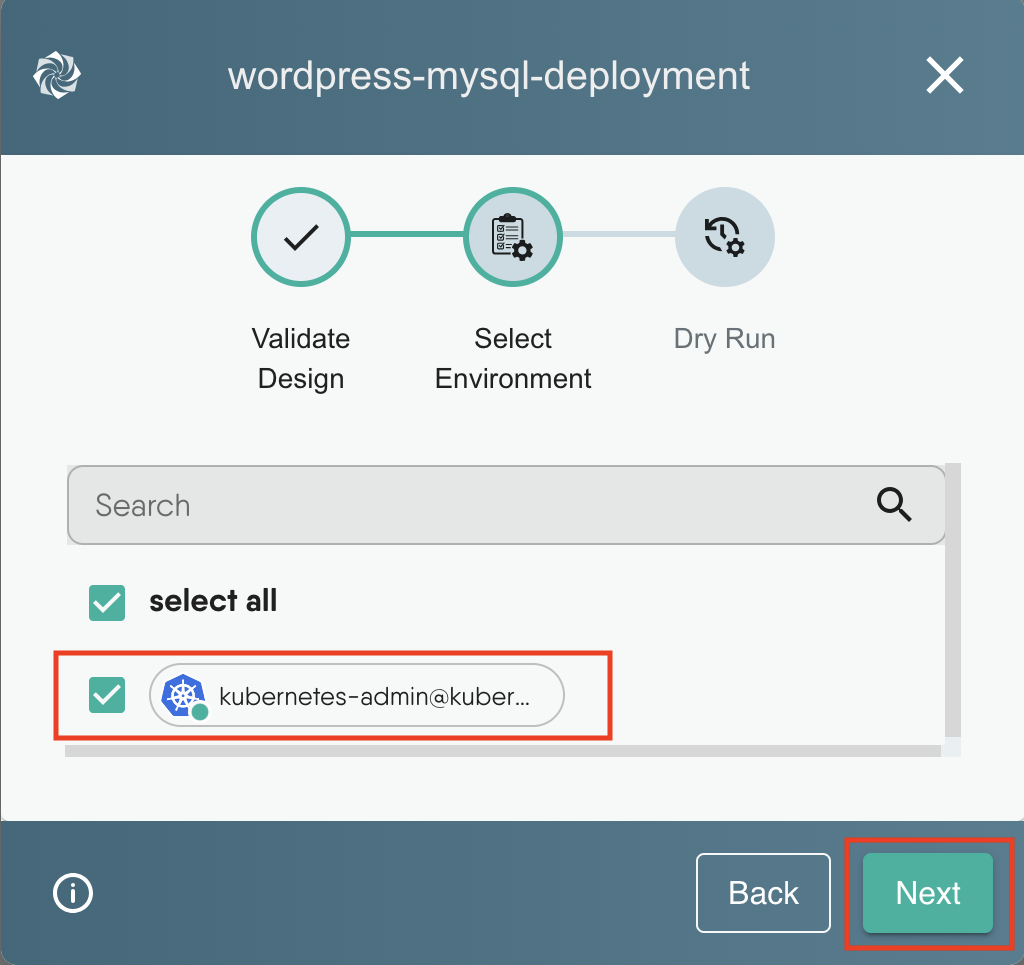
Figure: Choose deployment Environment
Note: The Meshery Playground is connected to live Kubernetes cluster(s) and allows users full control over these clusters but you can also have the option to add your own Kubernetes cluster to the Playground.
- Finally click
Deployto deploy the application to the cluster.
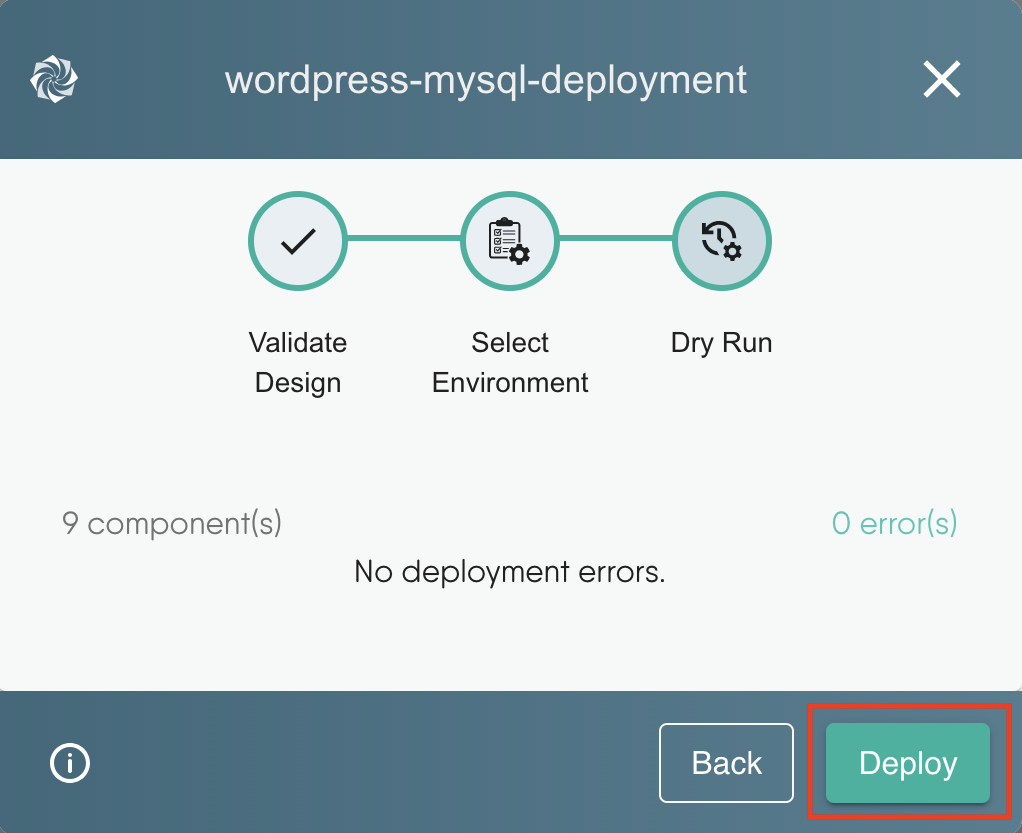
Figure: Deploy resources
- To check the status of your deployment, click on the notification icon on the top right corner. You can click on
Open In visualizerto navigate to the Visualize section or follow the steps below.
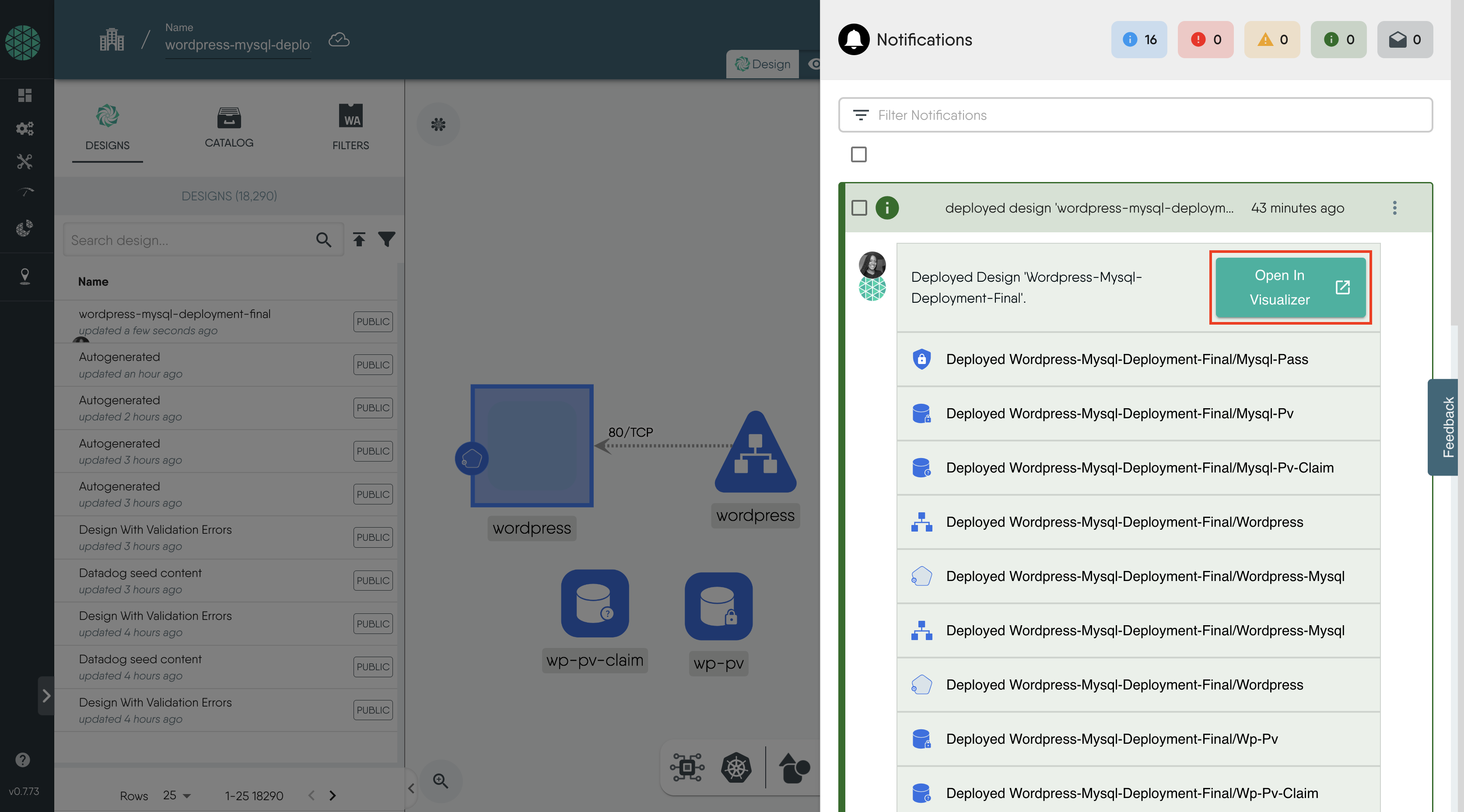
Figure: Deploy resources


Layer5 is the steward of Meshery and creator of Kanvas, the collaborative canvas for cloud-native infrastructure. We bridge the gap between design and operation, allowing engineers to create, configure, and deploy orchestratable diagrams in real time. Whether managing Kubernetes or multi-cloud environments, Layer5 provides the tooling needed to oversee modern infrastructure with confidence.